
From live signal to published highlight
Register a source, watch it, record it in chunks, cut while it is still growing, and publish before the event ends.
Live operations
Incoming source

Growing recording
Key moment
Warm-up
First half
Key moment
Live edge
This is one of Arena Pro’s clearest differences from a generic brand DAM.
- Register the source. HLS or SRT, per tenant. Start or stop ingest on demand.
- Preview in the browser. An in-app live proxy. No separate player or playout system.
- Record in chunks. 5, 10, 15, 30, or 60 minutes. Each chunk is a normal, searchable asset.
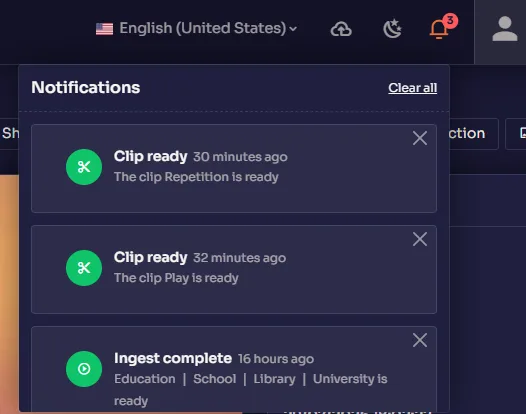
- Clip while it is still growing. A DVR cut produces a distributable highlight from the recording in progress.
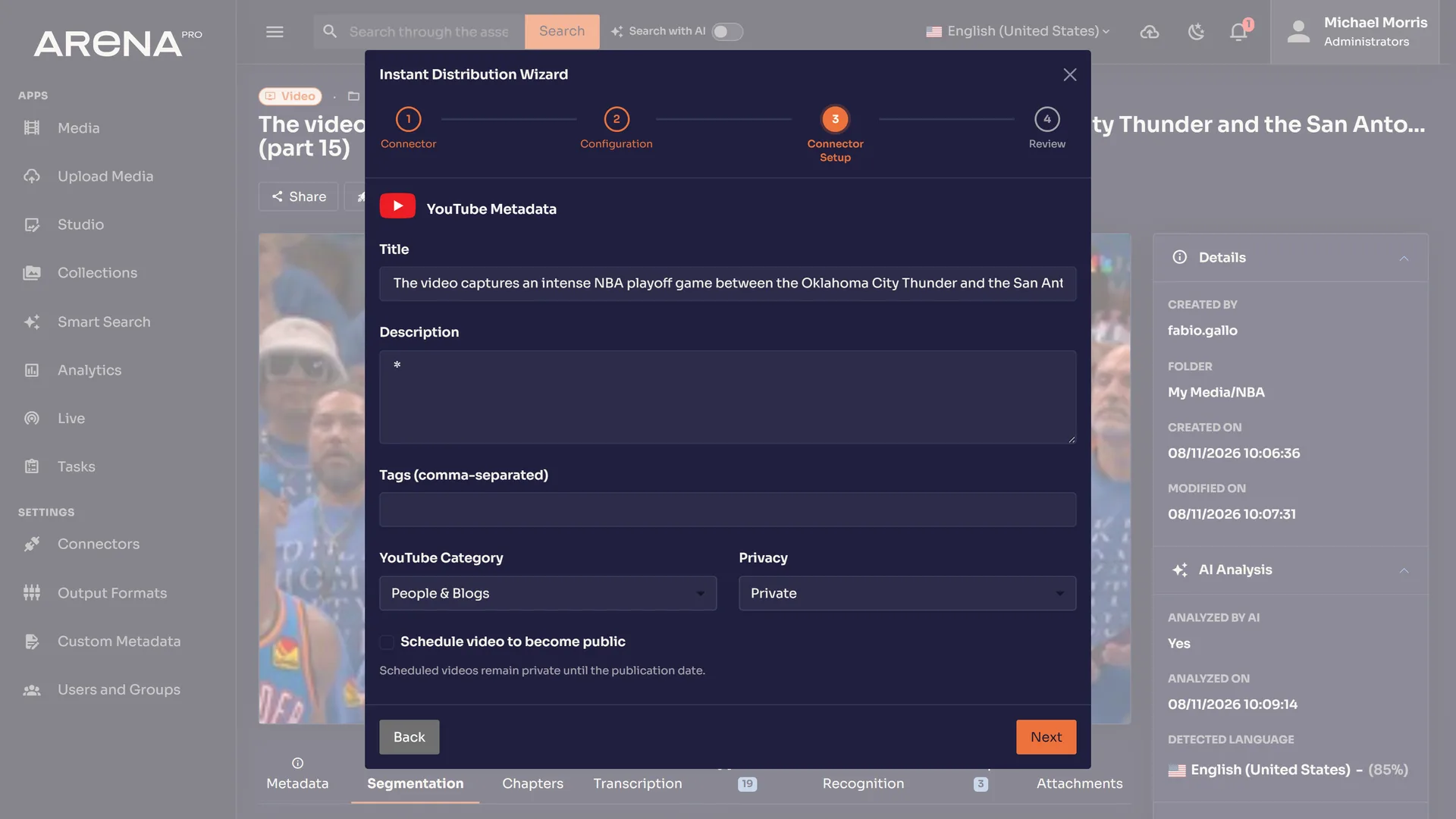
- Publish from the same panel. Send the highlight to YouTube, with a default folder so clips file themselves.
Live chunks become ordinary Arena Pro assets: searchable, enrichable, shareable, and distributable like any upload.
Which live protocols are shipped?
HLS and SRT, registered per tenant, with start and stop on demand.
Is a live chunk different from an upload?
No. Each recorded chunk is a normal Arena Pro asset: searchable, enrichable, shareable, and distributable.
From live signal to published highlight, in one workspace.
Arena Pro is no longer VOD-only. A live source can be registered, watched, recorded, cut, and published while the event is still running.
01
Register the source
HLS or SRT, per tenant. Start or stop ingest on demand.
02
Preview in the browser
An in-app live proxy. No separate player or playout system.
03
Record in chunks
5, 10, 15, 30, or 60 minutes. Each chunk is a normal, searchable asset.
04
Clip while it is still growing
A DVR cut produces a distributable highlight from the recording in progress.
05
Publish from the same panel
Send the highlight to YouTube, with a default folder so clips file themselves.
Live signal to highlightLive chunks become ordinary Arena Pro assets: searchable, enrichable, shareable, and distributable like any upload.
Before the recording starts
Register the signal once, then operate it inside the media workspace
Arena Pro treats the source as the beginning of an asset workflow. The operations team chooses the supported protocol, associates the source with the correct tenant and filing destination, and verifies the browser preview before recording.
HLS source
Use an HLS source when the operation already exposes a compatible HTTP-based stream. Arena Pro can preview the source in the browser and use it as the input for a managed recording.
SRT source
Use SRT for a supported contribution path where the live signal arrives through that protocol. The source remains attached to the tenant that owns the resulting media.
What the operator confirms
- 01The source belongs to the correct Arena Pro tenant.
- 02The HLS or SRT endpoint is available to the configured ingest path.
- 03The in-browser preview shows the expected programme or event.
- 04The default folder matches the archive structure for the resulting assets.
- 05The recording interval matches how quickly the team needs completed chunks.
Chunked recording
A recording that enters the DAM while the event is happening
Choose a 5, 10, 15, 30, or 60-minute recording interval. Every completed chunk becomes an ordinary Arena Pro asset rather than a file trapped inside a separate live system.
Choose a recording interval
Searchable
The completed chunk can receive metadata, faces, OCR, and transcription like an upload.
Editable
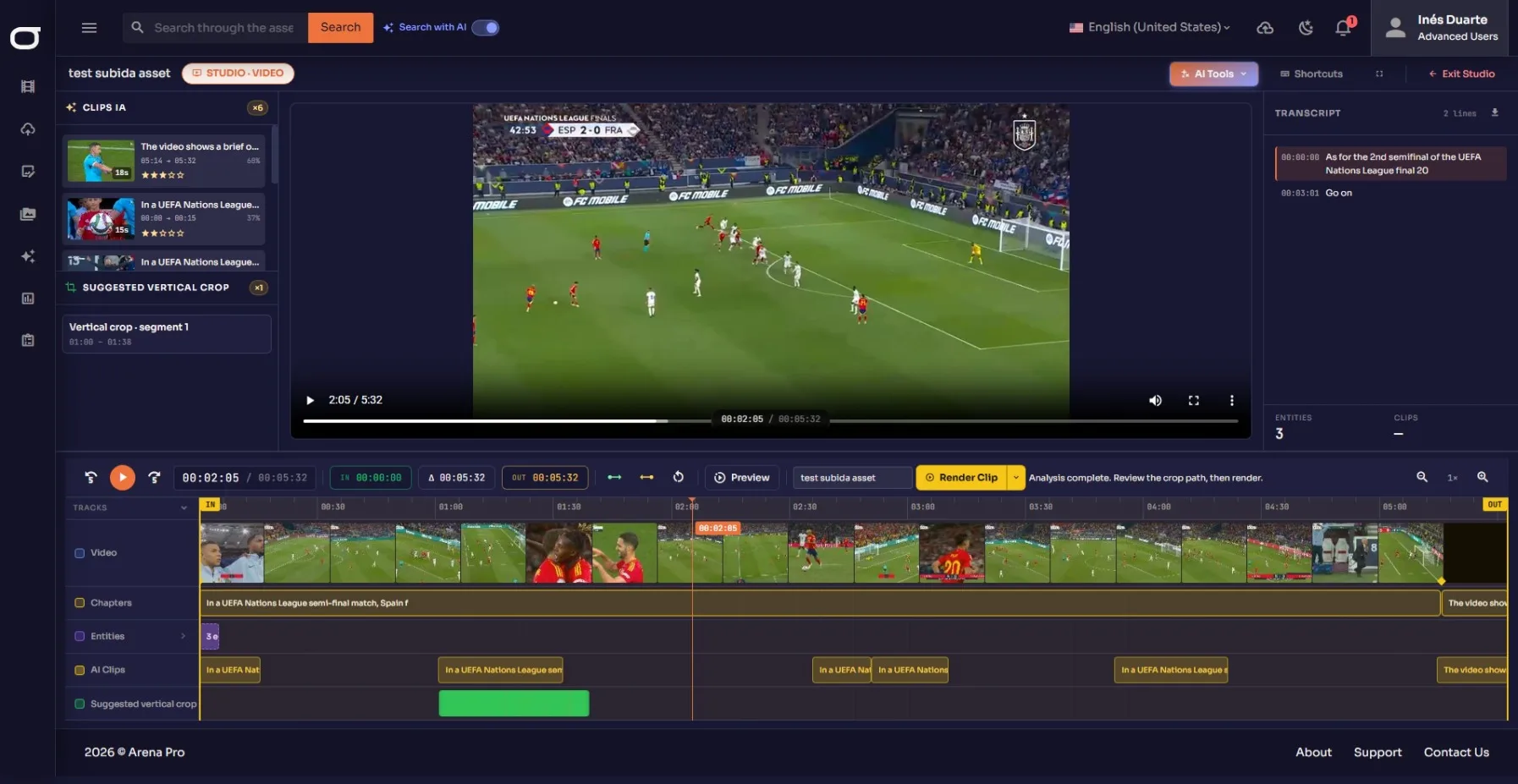
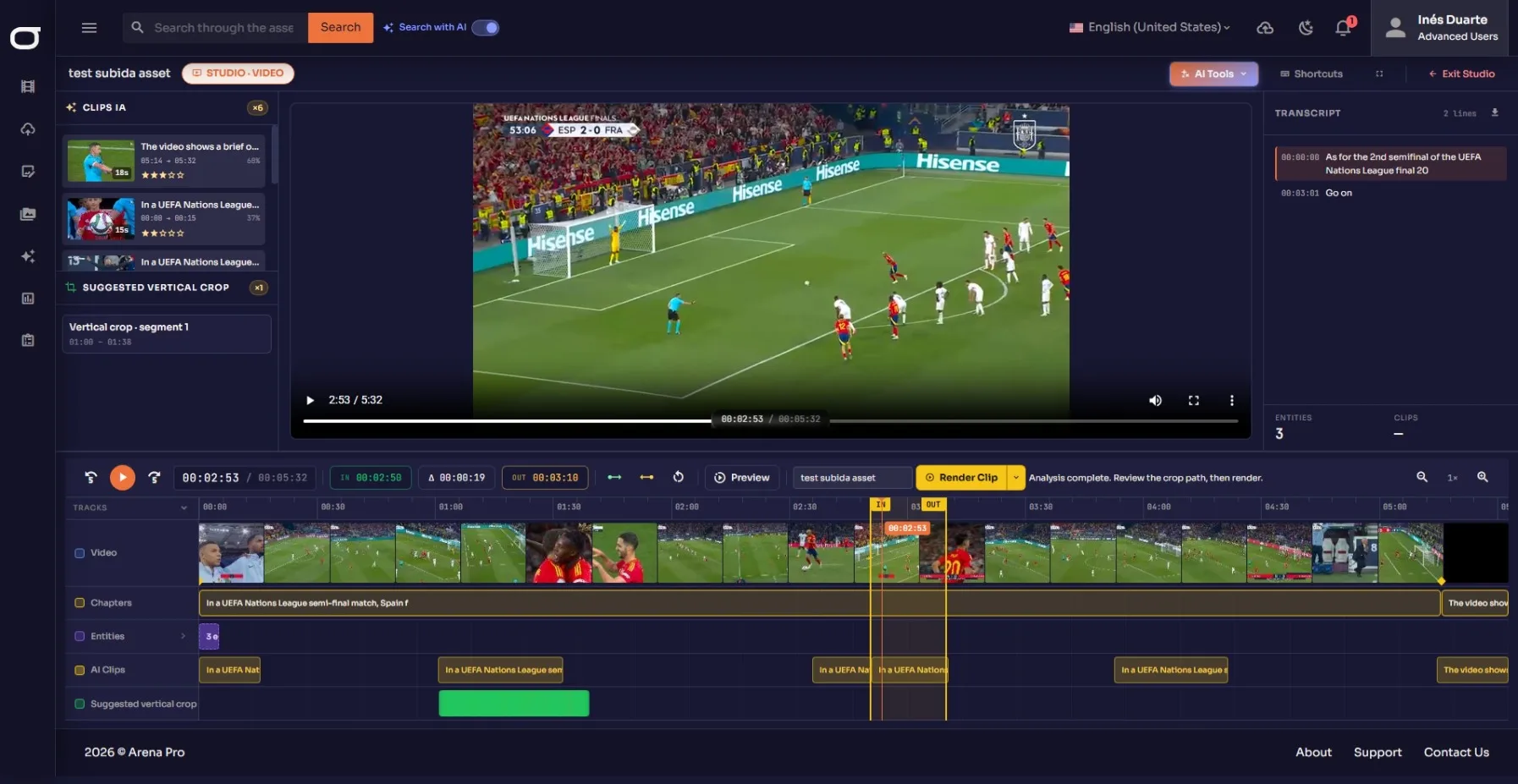
Open the asset in Studio and work on the timeline without rebuilding the source.
Governed
Collections, roles, review states, and public-share controls apply to the result.
DVR clipping
Cut the moment before the recording has finished
Set an in and out point against the growing recording. Arena Pro produces a distributable highlight while the live source continues beyond the selected range.
Watch the live edge
Preview the incoming source in the browser and keep the current event in view.
Mark the moment
Set the range on material that is still growing instead of waiting for the final file.
Create the highlight
The DVR cut becomes an asset that can move through Studio, review, and delivery.
Mark the moment
Recording continuesSet the range on material that is still growing instead of waiting for the final file.
The complete live lifecycle
Eight connected steps from incoming signal to reusable media
The important distinction is continuity. Each stage adds context or produces a governed asset; the workflow does not end with a temporary clip on a control-room desktop.
- 01
Register
Create the HLS or SRT source inside the tenant that will own the recording.
- 02
Preview
Check the incoming signal in the browser before committing the operation.
- 03
Record
Start ingest and divide the continuous event into the selected recording interval.
- 04
File
Completed chunks enter the chosen folder as ordinary Arena Pro assets.
- 05
Clip
Mark an in and out point on the growing recording when a moment becomes valuable.
- 06
Enrich
Use supported faces, OCR, transcription and metadata to make completed media discoverable.
- 07
Review
Open the asset in Studio, refine the cut and keep the publishing decision with the team.
- 08
Deliver
Move the approved result to a verified destination, governed share or connected API workflow.
After ingest
The highlight inherits the intelligence of the platform
A live chunk is not a second-class object. Once it is an asset, the same evidence tracks and editorial tools available to uploaded media can work on it.
Faces
Recognized people become timeline evidence for discovery and review.
OCR
Lower thirds, scoreboards, and other on-screen words become searchable at their timecodes.
Transcription
Spoken language becomes time-aligned text for finding the right bite.
Smart clips and Studio
Use suggestions as a starting point, refine the cut, and create subject-aware 9:16 output.
Operational design
One live path, not a separate island
The value is the hand-off: source registration, preview, recording, clipping, archive, and delivery remain connected to the same tenant and asset model.
Tenant-aware sources
HLS and SRT sources are registered inside the tenant that owns the resulting assets.
Start and stop on demand
Operations control when the registered source is actively being ingested.
Browser preview
The desk can watch the in-app live proxy without opening a separate player.
Default filing
A default folder keeps generated clips attached to the intended archive structure.
Who does what
A shared workflow for the control room, editors and archive team
Live work is collaborative, but responsibility should stay clear. Arena Pro gives each role a common asset and timeline while preserving the human decisions around selection, approval and delivery.
Live operator
Registers the source, checks the preview, starts the recording and watches the growing asset.
Producer
Identifies the moment, defines the editorial range and decides whether it should become a highlight.
Editor or social team
Refines the cut in Studio, reviews suggested clips and prepares horizontal or subject-aware vertical output.
Media manager
Maintains folders, metadata, collections, permissions and the long-term relationship with the archive.
Approver
Confirms that the selected media is suitable for the intended publishing or partner workflow.
Distribution team
Chooses the configured destination and verifies that the approved asset reached the expected path.
From highlight to audience
Publish from the work you already approved
The live-clips panel can send the highlight to YouTube. Because the result is a normal Arena Pro asset, it can also continue through governed sharing and the platform’s verified delivery paths.
YouTube
Publish directly from the live-clips workflow with the configured destination.
Governed public share
Use password, expiry, download control, and audit for external review or delivery.
FastoCloud
Move an approved asset through the active OTT delivery route.
S3, Azure Blob, and FTP
Use active storage and protocol paths from the ordinary asset workflow.
Public REST API
Drive project-specific downstream experiences with tenant-scoped access.
Where the clock matters
Built for the desks that cannot wait for the final file
Live ingest matters when the commercial or editorial value of a moment falls while the event is still running.
Sport
Turn the live match into a highlight, vertical cut, or governed partner package before the final whistle.
Explore Arena Pro for sportBroadcast and news
Record the incoming signal, find the bite, and move a same-day clip into review and delivery.
Explore broadcast and newsRights holders
Keep tonight’s feed in the same searchable archive as previous events and approved material.
Design the operation
Decisions to make before the first live event
A useful deployment maps the real source, editorial deadline, archive structure and delivery route. These choices determine the workflow; they should not be hidden behind a generic product tour.
- 01
Choose the recording interval
Shorter chunks make completed assets available sooner. Longer chunks create fewer assets. Select from the supported 5, 10, 15, 30 or 60-minute intervals according to the operation.
- 02
Define the filing model
Agree where live chunks and highlights belong, which metadata is essential, and how an event relates to the existing archive.
- 03
Set the editorial hand-off
Decide who marks the moment, who refines it in Studio and who gives the final publishing approval.
- 04
Map the output
Confirm whether the result goes to YouTube, FastoCloud, governed sharing, storage, FTP or a tenant-scoped API workflow.
- 05
Test representative media
Use the actual protocol, expected event duration and a realistic highlight request during evaluation.
- 06
Keep rights decisions human
Arena Pro moves and governs the asset. The organization remains responsible for deciding what it is entitled to publish or deliver.
Operational questions
Live ingest and highlights, explained
These answers describe the currently evidenced workflow and distinguish automation from the decisions that remain with your team.
Can Arena Pro record while an event is still live?
Yes. A registered HLS or SRT source can be previewed in the browser and recorded in chunks while the source continues.
How quickly does recorded media enter the DAM?
That depends on the selected interval. Arena Pro supports 5, 10, 15, 30 and 60-minute chunks. Each completed chunk becomes an ordinary asset in the selected filing destination.
Must the team wait for the complete recording before clipping?
No. The DVR workflow can set in and out points against a growing recording and create a highlight while the source continues.
What happens to a live highlight after it is created?
It becomes an Arena Pro asset. It can move into Studio, receive supported intelligence, join a collection, use governed sharing and continue through verified delivery paths.
Does AI decide what gets published?
No. AI can add searchable evidence and suggest clips or crop paths. A person reviews the result and decides what is rendered, approved and distributed.
Can Arena Pro make a vertical social version?
Studio supports subject-aware 9:16 crop workflows. The team reviews the framing and output before distribution.
Which live protocols are supported?
The currently evidenced live source protocols are HLS and SRT.
Where can an approved highlight go?
Verified paths include YouTube, FastoCloud, governed public shares, S3, Azure Blob, FTP and tenant-scoped workflows through the public REST API. Configuration depends on the destination.
Does Arena Pro clear media rights automatically?
No. Arena Pro provides asset organization, workflow and delivery controls. Rights clearance and the decision to publish remain with the content owner.
What should we bring to a live-workflow demo?
Bring a representative HLS or SRT path, the expected event duration, the highlight deadline, your preferred chunk interval, the people involved in approval and the intended destination.
Bring one workflow. We will open it in the product.
Talk To Us